eMedley at UC: where your clinical hours, case logs and evaluations live
eMedley is the web-based clinical data management system UC's College of Nursing uses for precepted clinicals. You record hours and patient encounters there, build a portfolio and send out evaluations, while your preceptor verifies time in eClas and evaluates you in eValuate. Your Clinical Site Coordinator opens your access, and a preceptor can only appear there once UC has approved them.
Need a preceptor UC can load into eMedley?
Tell us your UC track, term and location. A placement advisor replies with what a UC-ready preceptor and site look like for you.
14days: how often UC asks preceptors to verify your time logs
2evaluation rounds you send each term, midterm and final
What eMedley does in a UC clinical course
UC's FNP clinical FAQ (revised May 2026) calls eMedley a web-based clinical data management system. In practice it is where you document clinical hours and patient encounters, build a learning portfolio, collect performance assessments and respond to evaluations. UC's preceptor pages and its clinical planning glossary treat it as the college's clinical documentation system, and the Fall 2026 syllabus for the RN-to-BSN course NBSN4081 asks for an ongoing eMedley direct care experience log too.
eMedley is not where your compliance record lives. The background check, drug screen, immunizations, BLS card and license verification belong to UC's Critical Requirements process, explained on our CastleBranch and Critical Requirements page. Your courses run in Canvas, which you reach through the Canopy portal, and registration and billing sit in Catalyst.
Older UC paperwork sometimes names E*Value for preceptor evaluations and hour validation. That platform appears in a 2019 packet; current UC documents use eMedley. Typhon and Exxat don't appear in any UC source we checked, so ignore advice written for schools that use them.
Getting into eMedley and seeing your preceptor there
Access comes in a fixed order. You can't add a preceptor to eMedley yourself, and your preceptor can't sign up on their own.
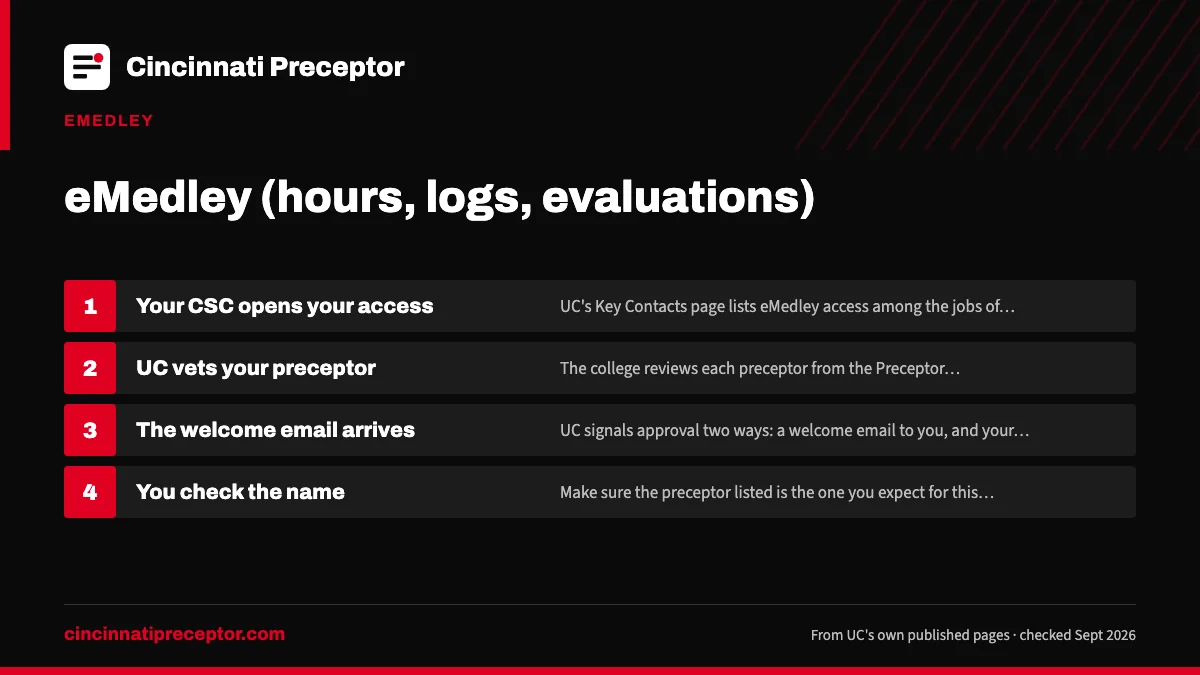
- Your CSC opens your accessUC's Key Contacts page lists eMedley access among the jobs of the Clinical Site Coordinators. If you can't sign in as your first clinical course approaches, ask your assigned CSC.
- UC vets your preceptorThe college reviews each preceptor from the Preceptor Application. Only preceptors who have submitted an application are able to log in to eMedley.
- The welcome email arrivesUC signals approval two ways: a welcome email to you, and your preceptor's name appearing in eMedley. The nurse-midwifery FAQ puts this about 3 to 6 weeks before the term, the FNP FAQ about 4 to 6 weeks. The email may mention extra site requirements.
- You check the nameMake sure the preceptor listed is the one you expect for this course. If a name is missing or wrong, tell your CSC before your first shift rather than after you've started logging.
What the preceptor fills in, and what you complete first, is covered on our Preceptor Application page.
The records you keep in eMedley
Four kinds of record build up over a term. They sit side by side in the system but are checked by different people, so it pays to keep them straight from week one.
| Record | Who enters it | Who checks it |
|---|---|---|
| Time logs (clinical hours) | You, after each clinical day | Your preceptor, in eClas, on a 14-day cycle |
| Case logs (patient encounters) | You | Not signed off by preceptors; ask course faculty how they are reviewed |
| Evaluations | You send them out at midterm and final | Your preceptor completes them in eValuate; faculty grade the course |
| Portfolio and performance assessments | You | Course faculty, as your syllabus sets out |
The day-to-day rules for time, including semester-date limits and weekly caps by track, are on our clinical hour logs page. One habit from UC's course expectations document is worth adopting now: download your case logs at the end of every semester so you keep your own copy.
What your preceptor sees and does
Your preceptor works in two parts of eMedley. In eClas they verify your time logs, and UC's eMedley page for preceptors asks them to plan on doing that every 14 days. In eValuate they complete your evaluations. They sign in at he.emedley.com, and UC says Google Chrome is required.
Preceptors don't sign off case logs. UC says so plainly on its preceptor page, so there's no point holding a case log open while you wait for a preceptor signature.
If your preceptor's login shows duplicate accounts, UC's shared mailbox for eMedley, conemedley@uc.edu, handles account merges. Forward that address rather than trying to fix the account yourself. For a clinician taking a UC student for the first time, our page on precepting UC students explains what UC asks of them.
Keeping eMedley current through the term
Most eMedley trouble is about timing. Hours entered in a rush at the end of term leave your preceptor verifying weeks of shifts at once, and UC's May 2026 Preceptor Guide says no grade is awarded until every evaluation and hour is in.
A steady routine avoids that. Enter each clinical day within a day or two, nudge your preceptor when a 14-day verification point comes around, and send evaluations as soon as the course opens them. UC says the student deploys the evaluations, so your preceptor has nothing to complete until you send it. Our preceptor evaluations page covers the midterm, the final and the faculty conferences.
Your preceptor won't sign your case logs in eMedley. Don't wait on a signature that isn't coming; download your case logs at the end of each semester instead.
Where our work meets eMedley
eMedley access and preceptor approval belong to UC's Clinical Site Coordination team. What students choose us for is making sure the preceptor who eventually shows up in eMedley is the right fit for the course and ready for that review.
Our work comes before eMedley. We find a clinician and practice suited to your UC course, help you pull together the license, certification and site details UC's application needs, and stay on call if a preceptor drops mid-term, when a new name has to go through UC before any more hours count. In that case we look for a replacement while your CSC handles the approval side, so the two jobs run in parallel instead of one after the other. To start, use the form on this page or read how our service works.
Questions UC students ask
Do I need Google Chrome for eMedley?
UC's instructions tell preceptors to use Google Chrome at he.emedley.com. UC's public pages don't set a browser rule for students, but using Chrome yourself removes one variable if a screen won't load. If something fails for both of you, tell your CSC which step broke and which browser you used.
Why can't my preceptor log in to eMedley?
UC says only preceptors who have submitted a preceptor application can log in. If the application is still in review, there's no working account yet. Once UC approves the preceptor, they appear in eMedley and you get a welcome email. For duplicate or tangled accounts, the preceptor can write to conemedley@uc.edu.
Is eMedley the same thing as CastleBranch?
No. eMedley holds your clinical records: hours, patient encounters, portfolio items and evaluations. CastleBranch is the system UC names for Critical Requirements such as the background check, drug screen, immunizations and license verification. One shows what you did in clinicals; the other shows you were cleared to be there.
Does the UC RN-to-BSN use eMedley?
At least one course does: the direct-care course NBSN4081 Focus on Community asks for an ongoing eMedley direct care experience log in its Fall 2026 syllabus. UC hasn't published how many direct-care hours the RN-to-BSN requires, so take the target from your course syllabus. Our RN-to-BSN page covers the rest of that program.
What happens in eMedley if my preceptor leaves mid-term?
UC's public documents don't describe the eMedley steps for a preceptor change. Verifying time is the preceptor's job, so ask the departing preceptor to verify any outstanding logs before they go, and tell your CSC the same day. Our page on what to do when a preceptor drops out covers the rest.
Related pages
Clinical hour logsHow UC nursing students log clinical hours in eMedley so they count: 14-day verification, semester-date limits, weekly caps and carry-forward by track.Preceptor evaluations and conferencesHow UC's midterm and final preceptor evaluations work in eMedley, who books the twice-a-term faculty conference, and what the practicum journal involves.CastleBranch and Critical RequirementsUC College of Nursing Critical Requirements in CastleBranch: every item, order and document deadlines by term, and what the current purchase hold means.UC Preceptor ApplicationHow UC's Preceptor Application works: your student section first, what the preceptor fills in, when a CV is required, and which address the packet goes to.Your Clinical Site CoordinatorWhat UC's Clinical Site Coordinators and the Office of Clinical Placement and Operations handle, what they leave to you, and how to work well with your CSC.For preceptorsAsked to precept a University of Cincinnati nursing student? What UC asks of you, the application, eMedley, the site agreement and what UC offers in return.
Last checked 2026-09-24
We check these pages against UC's own sources. Your Clinical Site Coordinator, your course faculty and UC's current documents have the final word.
Hand us the search. Keep your packet deadline.
Tell us your UC track, where you live and which term your next practicum starts. We look for a preceptor and site that fit UC's rules for your track, and help you get the Preceptor Application and agreement details right.
- Matched to your track's population, setting and hour rules
- Checked against UC's preceptor requirements before your CSC sees it
- Aimed at UC's packet deadline, not just the first day of term
Start your placement plan
A placement advisor replies with what a UC-ready preceptor and site look like for you.