Clinical site onboarding for UC students: platforms, school letters and systems to clear first
Once UC approves your preceptor, the site runs its own onboarding: orientation, online modules, background checks and health records, often through a platform such as ACEMAPP or MyClinicalExchange. You handle the site's requests, and your Clinical Site Coordinator supplies UC's side, including the Letter of Good Standing and liability and malpractice verification. At eight named systems, you talk to your CSC before you even approach a preceptor.
Get your UC placement plan
Your UC track and where you live. A placement advisor replies with what a UC-ready preceptor and site look like for you.
8onboarding platforms named on UC's checklist, plus an Other box
14 daysminimum lead time St. Elizabeth sets for provider onboarding
Two clearances, not one
UC clears you once, through the Critical Requirements you complete in CastleBranch. Each clinical site then clears you again on its own terms. UC's Clinical Planning page tells students to contact the site for its onboarding process, which can include orientation, training modules, background checks and health documents.
The two overlap without replacing each other. A site may want its own drug screen or background check even though CastleBranch already holds yours, and the 2026–27 handbook says the student pays for any added drug screens, fingerprinting or further background checks.
Timing follows approval. On UC's May 2026 Clinical Planning Checklist, the onboarding platform comes after the welcome email and the site agreement, and the welcome email itself may list extra site requirements. Read it before you contact the site so your first question is the right one.
What a site's onboarding tends to ask for
- an orientation, in person or online
- training modules, often with a minimum passing score
- a background check or drug screen of the site's own
- health documents such as immunization and TB records
- proof of UC's liability coverage and your standing as a student
- a photo ID badge
Local examples show the range. TriHealth's list runs to Annual Mandatory Education, a social media training and a signed Student Orientation Attestation, with quiz scores of 80% or better. At St. Elizabeth, the Graduate Medical Education office uses Clinician Nexus for students rotating with providers credentialed through medical affairs, no later than 14 days before they begin. The Cincinnati clinical sites page covers each system's process.
Ask the site for its list in writing, with due dates, since its onboarding clock can start well before your first shift.
The onboarding platforms UC names
UC's checklist asks which onboarding platform your site uses. It lists ACEMAPP, CB Bridges, CPNW, MyClinicalExchange, RedCarpet, Rotation Manager, Shared Space 4 Learning and TCCP, with an "Other" box for anything else. Find out which one applies in your first talk with the site, because that is usually where its modules and document uploads live.
One entry on that list is out of date. CB Bridges became Bridges EXP, whose own site now says the product is no longer available, so if a site still names it, ask what replaced it and tell your CSC.
Around Cincinnati, St. Elizabeth runs provider rotations through Clinician Nexus, and TriHealth has adopted it for student rotations, though its announcement doesn't mention NP students. It isn't on UC's list, so tick "Other" and confirm with the site. None of the six major Cincinnati-area systems' pages mention ACEMAPP.
What your CSC sends the site
Some onboarding items can only come from UC, and your coordinator handles them. UC's Clinical Planning page names the Letter of Good Standing and the liability and malpractice verification, and the May 2026 Preceptor Guide adds that sites can ask for a compliance summary.
The liability piece rests on UC's own coverage. The Preceptor Guide says students are covered by UC's program of self-insurance and commercially purchased insurance, active once you enroll in a College of Nursing program, and the handbook limits that coverage to each semester's start and end dates. The compliance summary lets a site see what UC has verified, such as HIPAA, bloodborne pathogen and Basic Life Support training, University Health Services requirements, a drug screen and a criminal background check.
Ask the site exactly which school documents it wants, then send your CSC that list in one message with the site's contact details.
Systems to clear with your CSC before you ask
UC's Clinical Planning page names eight organizations where students must contact their CSC before pursuing a preceptor: Allina Health in Minnesota, Cleveland Clinic, Essentia Health, Nationwide Children's Hospital, Norton Healthcare, The Little Clinic, Stanford Health Care and Summa Health.
UC doesn't explain why each one is listed. The practical rule is the same for all eight: email your CSC before you contact anyone there, including a clinician you already know. Cleveland Clinic's agreement also carries an administrative fee that UC bills to you and passes on; the clinical site fees page explains how that works.
None of the six big Cincinnati systems (UC Health, TriHealth, The Christ Hospital, Mercy Health, St. Elizabeth and Cincinnati Children's) is on the list, though each runs its own student process.
At the eight listed systems, don't ask a preceptor to take you until your CSC says go, even if you already know them.
Badges, screening and your own costs
Sites often want a UC photo ID, and online students can still need one. The Bearcat Card is UC's student ID, and the Clinical Planning Checklist says you can order it by email or at the Public Safety Office in Four Edwards Center.
Screening can grow by state as well as by site. Ohio residents and anyone training in Ohio complete a national and state fingerprint-based check, and UC lists 18 states that add a supplemental background check for APRN students; the background check and drug screen page has the list. Anything a site adds beyond UC's package is yours to pay for.
Budget time as well as money. An extra drug screen, fingerprinting or background check has to come back before your first day, so start any the site asks for as soon as you have its list.
A working order for onboarding
UC doesn't publish a sequence for this stage, so here is the order we'd suggest.
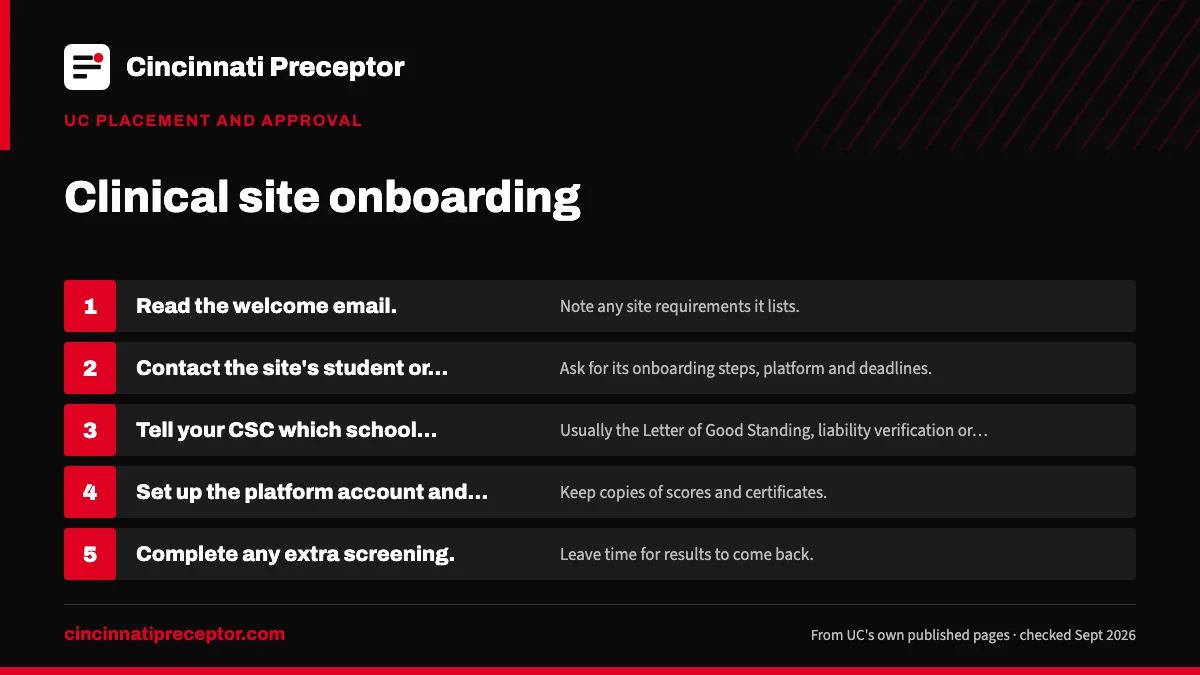
- Read the welcome email. Note any site requirements it lists.
- Contact the site's student or education office. Ask for its onboarding steps, platform and deadlines.
- Tell your CSC which school documents the site needs. Usually the Letter of Good Standing, liability verification or a compliance summary.
- Set up the platform account and finish modules. Keep copies of scores and certificates.
- Complete any extra screening. Leave time for results to come back.
- Collect your badge and confirm day one. Only once your CSC confirms the agreement is in effect.
If you're still looking for the site itself, we can help with the search, and we note each site's onboarding platform up front. UC and the site still approve everything.
Questions UC students ask
Does UC's CastleBranch clearance satisfy a clinical site?
Not always. CastleBranch is UC's clearance, and a site can still ask for its own background check, drug screen, modules or health documents. Your CSC can send a compliance summary or Letter of Good Standing showing what UC verified, which may cover part of what the site wants. Anything extra the site requires is yours to complete and pay for.
How long does clinical site onboarding take?
UC doesn't give a figure, and it varies by site. St. Elizabeth's provider onboarding wants at least 14 days before the start, while Cincinnati Children's sends its NP practicum application out about three to four months before the semester. Ask the site on your first call and plan backward from its answer.
Can I start onboarding before UC approves my preceptor?
UC's checklist puts the onboarding platform after the welcome email and site agreement. Asking a site early what it will need is sensible, but check with your CSC before paying for any screening or platform fee, because an unapproved preceptor or a stalled agreement could leave that work unused.
What is a Letter of Good Standing for UC clinicals?
It's one of the school documents sites ask for during onboarding, and your CSC completes it rather than you. UC's pages name it alongside the liability and malpractice verification without describing its contents. If a site wants a specific format or wording, send your coordinator the site's request directly.
Related pages
UC affiliation agreementHow UC's Educational Affiliation Agreement works: UC's standard form or a site's own contract, the 6-week and 6-month timelines, who handles what, and fees.CastleBranch and Critical RequirementsUC College of Nursing Critical Requirements in CastleBranch: every item, order and document deadlines by term, and what the current purchase hold means.Background check and drug screenWhat UC's nursing background check covers, why UC documents describe the drug screen two ways, Ohio's fingerprint check and the 18 states with extra checks.Cincinnati health systems and NP studentsHow UC Health, TriHealth, Christ Hospital, Mercy Health, St. Elizabeth and Cincinnati Children's take NP students, per their own pages. UC approves each site.Clinical site feesWhich clinical sites UC says charge an administrative fee, how UC collects it through the agreement, and the placement costs UC's handbook puts on students.Your Clinical Site CoordinatorWhat UC's Clinical Site Coordinators and the Office of Clinical Placement and Operations handle, what they leave to you, and how to work well with your CSC.
Last checked 2026-09-24
We check these pages against UC's own sources. Your Clinical Site Coordinator, your course faculty and UC's current documents have the final word.
Hand us the search. Keep your packet deadline.
Tell us your UC track, where you live and which term your next practicum starts. We look for a preceptor and site that fit UC's rules for your track, and help you get the Preceptor Application and agreement details right.
- Matched to your track's population, setting and hour rules
- Checked against UC's preceptor requirements before your CSC sees it
- Aimed at UC's packet deadline, not just the first day of term
Start your placement plan
A placement advisor replies with what a UC-ready preceptor and site look like for you.